Email Forensics in Detail: A Practitioner's Guide to Open-Source Investigation Tools
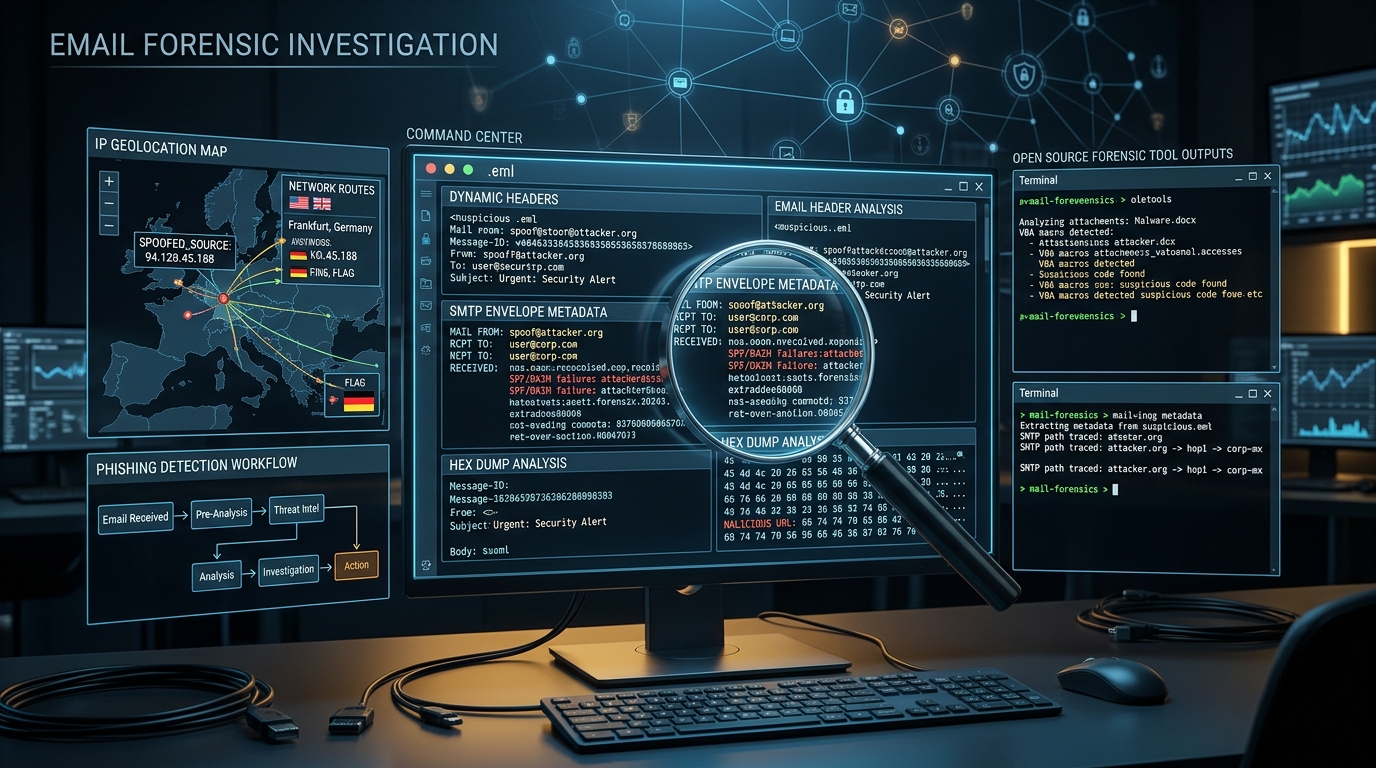
From Raw .eml to Courtroom Evidence: A Complete Open-Source Email Forensics Toolkit
Covers: Header Dissection, SMTP Hop Tracing, Attachment Malware Analysis, URL Deobfuscation, OSINT Enrichment, Evidence Preservation • Author: LLM Advocates Blog
Email remains the dominant initial access vector in cyberattacks. According to the Verizon 2024 Data Breach Investigations Report, social engineering via email was involved in over 70% of breaches that included a human element. When an organization detects a suspected phishing campaign, a Business Email Compromise (BEC), or a malware delivery attempt, the immediate question becomes: what exactly happened, who sent it, how did it arrive, and what did it carry?
That is the domain of email forensics—the systematic extraction, analysis, and preservation of evidentiary artifacts from electronic mail messages. This guide provides a practitioner-level walkthrough using exclusively free and open-source tools, organized by the phases of an investigation.
1. What is Email Forensics?
Email forensics is a sub-discipline of digital forensics focused on the examination of email messages as evidence. It involves:
- Evidence Acquisition: Securely capturing the email in its raw form (
.eml,.msg, or mailbox format) without altering its contents. - Header Analysis: Tracing the message's path across the internet by examining SMTP headers, identifying originating IPs, relay chains, timestamps, and authentication results.
- Body & Content Analysis: Inspecting the visible message body, embedded HTML, and inline scripts for social engineering indicators or exploit code.
- Attachment Analysis: Extracting and examining attached files for malicious payloads, macros, embedded executables, or steganographic content.
- URL & Link Analysis: Deobfuscating shortened URLs, tracking redirect chains, and identifying phishing landing pages or drive-by download infrastructure.
- OSINT Enrichment: Pivoting on extracted indicators (IPs, domains, file hashes) against threat intelligence platforms to establish attribution or campaign context.
- Evidence Preservation: Maintaining a forensically sound chain of custody, producing cryptographic hashes, and preparing artifacts for legal proceedings or regulatory filings.
When Is Email Forensics Needed?
Email forensic analysis is triggered by diverse scenarios: phishing incident response, BEC fraud investigation, insider threat detection, intellectual property theft, HR policy violation inquiries, regulatory compliance audits (GDPR, HIPAA, SOX), civil litigation e-discovery, and law enforcement investigations into cybercrime, harassment, or fraud.
2. Phase One: Evidence Acquisition & Preservation
Before any analysis begins, the raw email must be captured in its original, unmodified form. Forensic integrity depends on working with the native format, not a forwarded copy or screenshot.
2.1 Extracting Raw Email Files
Most email clients allow exporting the original message:
- Thunderbird: Right-click the message → Save As → saves as
.emlfile. - Outlook (Desktop): Right-click → Save As → saves as
.msgfile (proprietary format). - Gmail (Web): Three-dot menu on a message → Show original → Download Original produces an
.eml. - Microsoft 365 (Web): Three-dot menu → View message source or use the eDiscovery console.
- IMAP Server Direct: Use
fetchmail,offlineimap, orimapgrabto pull messages directly from the mail server without client-side rendering.
2.2 Hashing for Chain of Custody
Immediately after acquisition, compute cryptographic hashes to establish a forensically sound chain of custody:
$ sha256sum suspicious_email.eml
a3f1d7c9e8b2...  suspicious_email.eml

$ md5sum suspicious_email.eml
7b4e2f8a1c3d...  suspicious_email.eml
Record these hashes in your case log. Any subsequent analysis should verify the hash before proceeding to confirm that the evidence has not been tampered with.
Tool: msglite / msg-extractor (Python)
For Outlook .msg files, use the open-source msg-extractor library to convert proprietary binary formats into standard .eml or extract embedded attachments:
$ pip install extract-msg
$ extract_msg suspicious.msg --out-dir ./extracted/
3. Phase Two: Header Analysis & SMTP Hop Tracing
Email headers are the forensic backbone. Every mail server that processes a message prepends its own Received: header. Reading these headers from bottom to top reconstructs the email's journey from origin to destination.
3.1 Key Headers for Forensic Analysis
| Header Field | Forensic Significance |
|---|---|
Received: |
The relay chain. Each MTA prepends its own header. Read bottom-to-top to trace the message path. The bottommost Received: header is closest to the originating sender. |
Return-Path: |
The SMTP envelope sender (MAIL FROM). Bounce messages return here. Compare against the visible From: header to detect discrepancies. |
From: |
The user-visible sender address (RFC 5322). Can be trivially spoofed. Always compare with Return-Path and DKIM-Signature d= domain. |
Message-ID: |
A globally unique identifier assigned by the originating MTA. Useful for cross-referencing logs and deduplicating messages across mailboxes. |
X-Mailer: / User-Agent: |
Identifies the email client or software used to compose the message. Can reveal automation tools, scripted senders, or version anomalies. |
Authentication-Results: |
SPF, DKIM, and DMARC evaluation results from the receiving MTA (RFC 8601). Crucial for determining if the sender was authorized. |
X-Originating-IP: |
Some webmail services (notably Outlook.com, Yahoo) include the IP address of the web browser session that composed the email. Directly ties the message to a geographic origin. |
DKIM-Signature: |
Contains the signing domain (d=), selector (s=), signed headers (h=), and body hash (bh=). Validates message integrity and signing domain attribution. |
3.2 Open-Source Tools for Header Analysis
Tool 1: mha (Mail Header Analyzer)
MHA is a web-based tool (self-hosted with Flask) that parses email headers and produces a visual timeline of SMTP hops, with delay calculations and IP geolocation.
$ git clone https://github.com/lnxg33k/MHA.git
$ cd MHA && pip install -r requirements.txt
$ python server.py
Output: Visual hop-by-hop timeline, delay analysis per relay, originating IP identification, and authentication summary.
Tool 2: Google Admin Toolbox – Messageheader
Google provides a free, hosted Messageheader analyzer. Paste full headers and receive a parsed hop trace with delay metrics.
Best for: Quick triage when you need a rapid visual breakdown without installing local tools.
Tool 3: email-header-analyzer (Python CLI)
email-header-analyzer is a Python-based CLI/web tool from CyberDefenders that extracts and visualizes email header data, including security authentication outcomes.
$ git clone https://github.com/cyberdefenders/email-header-analyzer.git
$ cd email-header-analyzer
$ pip install -r requirements.txt
$ python app.py
3.3 Manual Header Tracing Walkthrough
Consider these (simplified, fictional) Received: headers read bottom to top:
Received: from gateway.corp-mx.example.net (gateway.corp-mx.example.net [203.0.113.50])
    by internal-mta.example.com (Postfix) with ESMTPS id ABC123
    for <victim@example.com>; Mon, 20 Oct 2026 09:15:22 +0000

Received: from relay.suspicioushost.ru (relay.suspicioushost.ru [198.51.100.77])
    by gateway.corp-mx.example.net (Postfix) with ESMTP id DEF456
    for <victim@example.com>; Mon, 20 Oct 2026 09:15:18 +0000

Received: from localhost (unknown [10.0.0.1])
    by relay.suspicioushost.ru (Postfix) with ESMTP id GHI789;
    Mon, 20 Oct 2026 09:15:12 +0000
Forensic deductions:
- Bottom header (Hop 1): The message originated from a local process (
localhost / 10.0.0.1) onrelay.suspicioushost.ru. This is the true origin. - Middle header (Hop 2): The message was relayed via
198.51.100.77(relay.suspicioushost.ru) to the victim's gateway MX server. - Top header (Hop 3): The corporate gateway delivered it internally to the victim's mailbox.
- Timestamp analysis: The 6-second delay between hops is consistent with normal SMTP relay latency. Abnormally long delays (hours) between hops can indicate queuing by a spam relay or manual intervention.
4. Phase Three: IP Geolocation & Reputation Analysis
Once you have extracted source IPs from the Received: chain and X-Originating-IP, the next step is to geolocate and reputation-check them.
| Tool / Service | Type | Capability | Source |
|---|---|---|---|
| MaxMind GeoLite2 | Local DB | Offline IP geolocation (country, city, ASN). Free database with registration. | maxmind.com |
| AbuseIPDB | API / Web | Community-reported IP abuse database. Shows abuse confidence score and historical reports. | abuseipdb.com |
| VirusTotal | API / Web | Multi-engine scanning of IPs, domains, URLs, and file hashes against 70+ antivirus engines and threat intel feeds. | virustotal.com |
| Shodan | API / Web | Internet-wide port/service scanning. Reveals open ports, services, SSL certs, and banner information on sending IPs. | shodan.io |
| IPinfo / ipwhois | CLI / API | WHOIS lookups and ASN registration data. The Python ipwhois library automates RDAP queries. |
ipwhois (GitHub) |
# Quick CLI geolocation with curl
$ curl -s "https://ipinfo.io/198.51.100.77/json" | python3 -m json.tool

# WHOIS lookup
$ whois 198.51.100.77

# DNS reverse lookup
$ dig -x 198.51.100.77 +short
5. Phase Four: Attachment & Payload Analysis
Malicious email attachments remain a top-tier threat vector. Forensic analysis of attachments must be conducted in an isolated environment (virtual machine, sandbox, or air-gapped workstation).
5.1 oletools – Microsoft Office Document Analysis
oletools by Philippe Lagadec is the gold-standard open-source toolkit for analyzing Microsoft Office files (DOC, DOCX, XLS, XLSM, PPT) for malicious macros, embedded objects, and VBA code.
$ pip install oletools

# Scan for VBA macros
$ olevba malicious_invoice.docm
+----------+--------------------+---------------------------------------------+
|Type      |Keyword             |Description                                  |
+----------+--------------------+---------------------------------------------+
|AutoExec  |AutoOpen            |Runs when the Word document is opened        |
|Suspicious|Shell               |May run an executable or shell command        |
|Suspicious|WScript.Shell       |May run scripts via Windows Script Host       |
|Suspicious|powershell          |May launch PowerShell commands                |
|IOC       |http://evil.com/pay |URL found in macro code                      |
+----------+--------------------+---------------------------------------------+

# Extract embedded OLE objects
$ oleobj malicious_invoice.docm

# Analyze RTF exploits
$ rtfobj suspicious.rtf
5.2 pdfid / pdf-parser – PDF Forensic Analysis
Didier Stevens' Suite provides pdfid.py and pdf-parser.py for inspecting PDF files for JavaScript, embedded files, launch actions, and URI redirects:
$ python3 pdfid.py suspicious_document.pdf
PDFiD 0.2.8 suspicious_document.pdf
 PDF Header: %PDF-1.7
 obj                   42
 endobj                42
 /JS                    2    <-- JavaScript present!
 /JavaScript            2    <-- JavaScript actions defined
 /OpenAction            1    <-- Auto-execute on open
 /Launch                0
 /EmbeddedFile          1    <-- Embedded file inside PDF

$ python3 pdf-parser.py --search /JS suspicious_document.pdf
5.3 YARA – Pattern-Based Malware Detection
YARA enables signature-based scanning of attachments against community rule sets. Combined with the Yara-Rules repository, analysts can detect known malware families, packers, and exploit kits:
$ yara -r /path/to/yara-rules/malware/ suspicious_attachment.exe
APT28_Dropper suspicious_attachment.exe
5.4 Sandbox Detonation: Cuckoo Sandbox
Cuckoo Sandbox is an open-source automated malware analysis system. Submit suspicious attachments for dynamic behavioral analysis inside an isolated virtual machine:
- Monitors file system changes, registry modifications, and process creation.
- Captures network traffic (DNS queries, HTTP/HTTPS connections).
- Records API call sequences and memory dumps.
- Produces comprehensive JSON/HTML reports suitable for incident documentation.
6. Phase Five: URL & Link Forensics
Phishing emails frequently embed obfuscated URLs. Forensic URL analysis involves deobfuscation, redirect tracing, and content analysis of the landing page.
| Tool | Purpose | Source |
|---|---|---|
unfurl |
Decomposes URLs into structural components, decodes base64 and URL-encoded parameters, extracts timestamps from URL patterns. | GitHub |
urlscan.io |
Submits URLs for live rendering in a sandboxed browser. Captures screenshots, DOM content, HTTP transactions, and redirect chains. | urlscan.io |
PhishTool |
Community edition for phishing email analysis. Combines header parsing, URL analysis, and threat intel correlation in a single interface. | phishtool.com |
CyberChef |
The "Swiss Army Knife" for data transformation. Decode Base64, URL encoding, hex, defang/refang IOCs, extract URLs from HTML, and compute file hashes. | GitHub (GCHQ) |
# Trace URL redirect chain without following to final destination
$ curl -sIL -o /dev/null -w "%{url_effective}\n%{redirect_url}\n" "https://bit.ly/3xyzABC"

# Safe redirect tracing with wget (no download)
$ wget --spider --max-redirect=10 -S "https://shortened-url.example/path" 2>&1 | grep "Location:"
7. Phase Six: Automated Email Triage Platforms
For organizations processing high volumes of suspicious emails, open-source platforms automate the triage pipeline:
SpamScope
SpamScope is an open-source, Apache Storm-based distributed email analysis framework. It integrates header parsing, attachment extraction (using oletools, Tika), URL analysis, and YARA scanning into a single streaming pipeline with Elasticsearch output for dashboarding.
TheHive + Cortex
TheHive is an open-source Security Incident Response Platform (SIRP). Combined with Cortex (its analysis engine), analysts can submit email observables (IPs, domains, hashes, URLs) for automated enrichment against VirusTotal, AbuseIPDB, Shodan, MISP, and dozens of other analyzers.
MISP – Malware Information Sharing Platform
MISP is an open-source threat intelligence platform purpose-built for sharing, storing, and correlating IOCs. Email forensic artifacts (sender IPs, domains, file hashes, YARA matches) can be imported as MISP events and correlated against community threat feeds to identify known campaigns.
8. Phase Seven: Evidence Packaging & Reporting
Forensic analysis is only valuable if its findings survive legal and organizational scrutiny. Proper evidence packaging is critical.
| Evidence Artifact | Preservation Method |
|---|---|
Original .eml / .msg |
Store in a write-protected archive with SHA-256 hash recorded in the case log. Never modify the original. |
| Full Header Printout | Export headers as a plain-text file. Include timestamps in UTC. |
| Extracted Attachments | Hash each extracted file individually (SHA-256 + MD5). Store in a password-protected ZIP with the password documented separately. |
| OSINT Enrichment Results | Screenshot and timestamp all VirusTotal, AbuseIPDB, and WHOIS lookups. Web-based results are ephemeral; preserve them. |
| Sandbox Reports | Export Cuckoo or ANY.RUN reports as JSON/HTML. Include PCAP network captures. |
| Chain of Custody Log | Document who acquired the evidence, when, from which mailbox, using what tool, and every subsequent access event. |
# Create a forensic evidence package
$ mkdir -p case_2026-1234/evidence
$ cp suspicious_email.eml case_2026-1234/evidence/
$ sha256sum case_2026-1234/evidence/* > case_2026-1234/evidence/checksums.sha256
$ zip -e -P "forensic-case-pw" case_2026-1234.zip case_2026-1234/
9. Complete Email Forensic Tool Reference
| Tool | Category | License | URL |
|---|---|---|---|
| MHA | Header Analysis | MIT | github.com/lnxg33k/MHA |
| oletools | Office Malware Analysis | BSD 2-Clause | github.com/decalage2/oletools |
| Didier Stevens Suite | PDF Analysis | Public Domain | github.com/DidierStevens |
| YARA | Pattern Matching | BSD 3-Clause | github.com/VirusTotal/yara |
| Cuckoo Sandbox | Dynamic Analysis | GPLv3 | cuckoosandbox.org |
| CyberChef | Data Transformation | Apache 2.0 | github.com/gchq/CyberChef |
| unfurl | URL Decomposition | Apache 2.0 | github.com/obsidianforensics/unfurl |
| SpamScope | Email Triage Pipeline | Apache 2.0 | github.com/SpamScope/spamscope |
| TheHive + Cortex | Incident Response | AGPL-3.0 | thehive-project.org |
| MISP | Threat Intelligence | AGPL-3.0 | misp-project.org |
| msg-extractor | Outlook .msg Parsing | GPL-3.0 | github.com/TeamMsgExtractor |
| PhishTool (Community) | Phishing Analysis | Free Tier | phishtool.com |
References & Further Reading
- RFC 5321 – Simple Mail Transfer Protocol (SMTP)
- RFC 5322 – Internet Message Format
- RFC 8601 – Message Header Field for Indicating Message Authentication Status
- Verizon Data Breach Investigations Report (DBIR)
- SANS Institute – Email Forensics: Investigating Phishing Emails (Whitepaper)
- MITRE ATT&CK – T1566: Phishing
- NIST SP 800-86 – Guide to Integrating Forensic Techniques into Incident Response
- oletools Documentation Wiki
Editorial Analysis by LLM Advocates DFIR Research Division
Published by the Cyber Law, Threat Intelligence & Digital Forensics Research Cell at LLM Advocates. Covering digital forensics methodology, incident response frameworks, and open-source security tooling.